Halloween countdown timers and discount codes: 7 benefits for your webshop
A Halloween countdown on your website builds excitement, brings visitors back and makes your discount code visible. 7 benefits, and how to keep the discount profitable.
Halloween has become one of the busiest shopping weeks of the autumn. Costumes, candy, decorations, party supplies and themed collections all sell, and almost every webshop runs some kind of Halloween offer. That also means your offer has to stand out. A Halloween countdown timer on your website is one of the simplest ways to do it: it builds excitement in the weeks before, gives visitors a reason to come back, and puts your discount code where people actually see it. In this post, we look at 7 benefits of a Halloween countdown, and how to pair it with discount codes without giving away your margin.
What is a Halloween countdown timer?
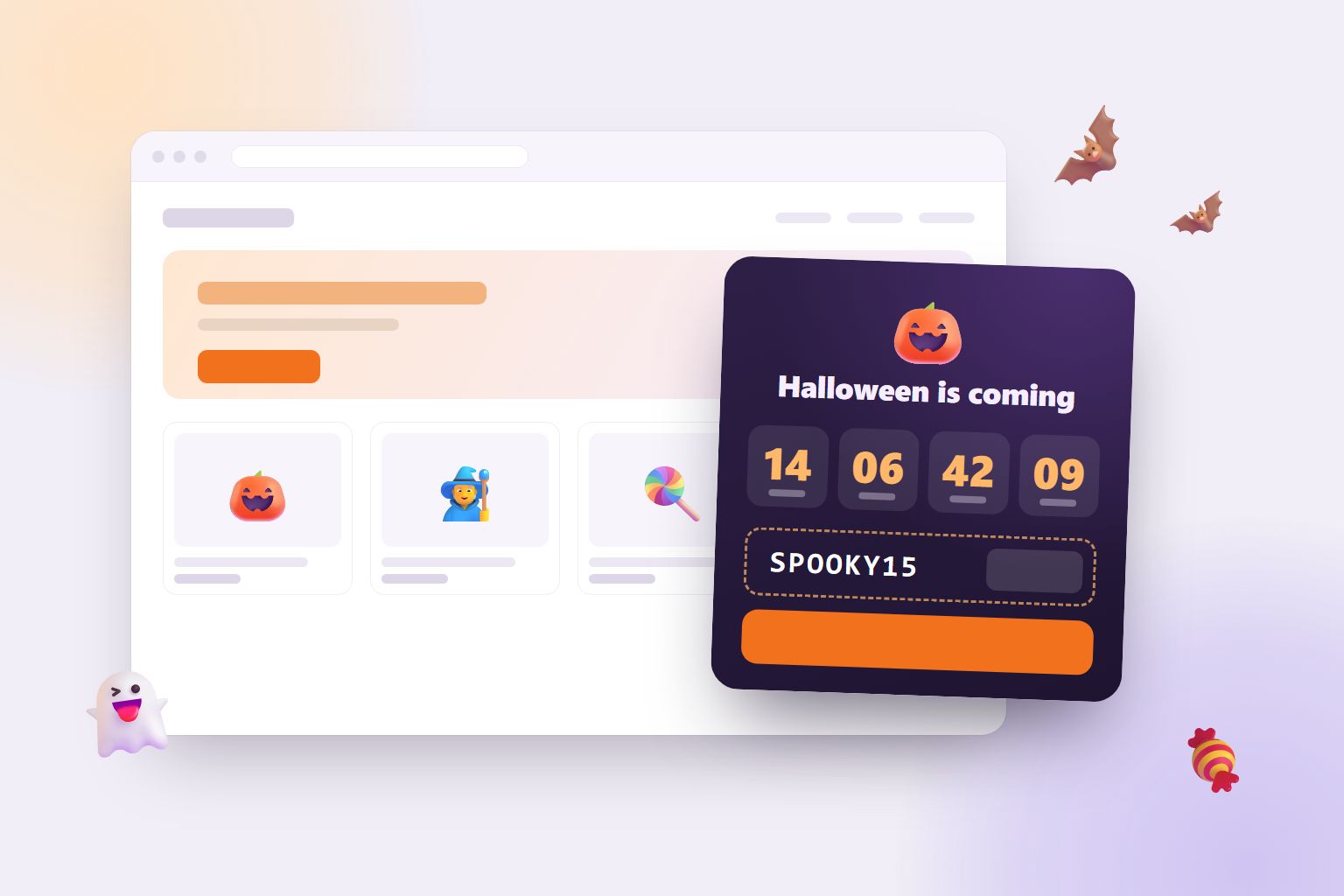
A Halloween countdown is a small timer on your website that counts the days, hours, minutes and seconds to 31 October. It usually sits in a corner of the page or in a bar at the top, with a short message like "Our spooky Halloween sale starts in", and often a discount code or a button to your Halloween collection.
It is a tiny thing, but it changes how your shop feels in October. Instead of a static banner that says "Halloween sale", visitors see time running out.
7 benefits of a Halloween countdown on your website
1. It creates urgency without being pushy
A visible deadline makes people act. When a visitor sees "3 days, 4 hours left", the offer suddenly has an end, and "maybe later" becomes "maybe now". Unlike a pop-up, a countdown doesn't interrupt anyone. It just sits there and ticks, which is often more convincing than a loud banner.
2. It builds excitement before the sale starts
Most shops only talk about Halloween on the day itself. A countdown lets you start the campaign weeks before, and gives visitors something to look forward to. People who see that your sale starts in 5 days know exactly when to come back, and some of them will put it in their calendar or tell a friend.
3. It gives visitors a reason to come back
Repeat visits are where many sales happen. Someone who browses your shop on a Tuesday and comes back on Halloween to use the code is a warm customer. A countdown turns your Halloween campaign into an appointment. That is the same idea that makes daily games work so well, which we wrote about in A daily Wordle-style puzzle for your website.
4. It makes your discount code visible
A discount code hidden in a newsletter or the footer is easy to miss. In a countdown, the code is right next to the clock, with a copy button. Visitors see the offer and the deadline together, which is exactly the moment they decide whether to buy.
5. It sends traffic to your Halloween collection
A button in the countdown, like "See the Halloween deals", takes visitors straight to your costumes, candy or decorations. That is a shortcut from any page on your website to the products you most want to sell in October.
6. It makes your shop feel alive and seasonal
Small seasonal touches tell visitors that someone is looking after the shop, and that what they see is current. A pumpkin in the corner with a ticking clock does that without redesigning anything. It is one of the quiet benefits of widgets in general, which we cover in 7 benefits of website widgets for webshops.
7. It runs by itself
A good countdown needs no attention once it is set up. It appears in the weeks before Halloween, switches to a "Happy Halloween" message on the day, and disappears on 1 November. You don't have to remember to take down a banner when the campaign is over.
Countdown timers and discount codes: getting it right
A countdown and a discount code are a strong pair, but a discount that everyone gets is still a cost. A few simple rules keep your Halloween offer profitable.
Know what the discount costs you
A 15% Halloween discount doesn't cost you 15% of your profit. It costs much more. If your margin is 40%, 15% off takes more than a third of the profit on every order, and you need around 60% more orders just to earn the same. Our free discount cost calculator shows the numbers for your own shop in a few seconds.
Put limits on the code
Set up the code in your shop system with an end date (1 November is a natural one), a minimum order value and one use per customer. A deadline in the countdown means nothing if the code keeps working in December.
Use unique codes where it matters
One shared code like SPOOKY15 is perfect for the countdown. For newsletters, influencers or VIP customers, single-use codes are better, because they can't spread to coupon websites. You can make a batch for free with our discount code generator.
Let some visitors earn a bigger reward
A countdown shows the code to everyone. If you also want a reward that feels like a prize, let visitors earn it. A short daily puzzle where winners get an extra Halloween code reaches the people who are really interested in your shop, and gives everyone else a reason to come back and try again tomorrow. We explain why that works in Earned discount codes: discounts that don't teach customers to wait, and compare different approaches in Spin wheel alternatives for Shopify.
Halloween campaign ideas for your webshop
- The classic countdown sale. Count down to a sale that starts on 31 October, and show the code in the timer.
- Early-bird code. Show a code that only works until Halloween, so the countdown becomes the deadline for the discount.
- New collection launch. Count down to the day your Halloween collection or a limited product goes live.
- Countdown plus game. Use the countdown for the main offer, and a daily game like MojiTiles for an extra reward that players earn.
- Free shipping weekend. Not every offer has to be a percentage. Free shipping until Halloween can feel bigger to customers than it costs you.
How to add a Halloween countdown with mojitiles
With the Halloween Countdown widget, you can have a timer running on your website in a few minutes:
- Create a free account and add Halloween Countdown.
- Write your message, add your discount code and a link to your Halloween page. Choose how many days before Halloween it should appear.
- Paste one line of code into your website. Our guide How to add a game to your website shows you how, step by step, for Shopify, WordPress, WooCommerce, Wix and more. Widgets are added the same way.
The countdown comes in Halloween colours, counts down in each visitor's own time zone, and starts as a small pumpkin button on phones, so it never covers your shop. On Halloween it shows your Halloween message, and from 1 November it hides itself until next year.
Make Halloween count
Halloween is short, so the weeks before it matter. A countdown timer gives your offer a deadline, puts your discount code in front of visitors and brings them back when the sale starts. Pair it with a code that has sensible limits, and maybe a game for those who want to earn a little extra, and your Halloween campaign works for you instead of just costing you. For more ideas on making your shop more fun, read 6 benefits of gamification for webshops.
Planning ahead? Black Friday is only four weeks after Halloween. Read Black Friday countdown timers: sell more without giving away your margin.
Try the Halloween Countdown and start counting down today. 🎃