Christmas Countdown
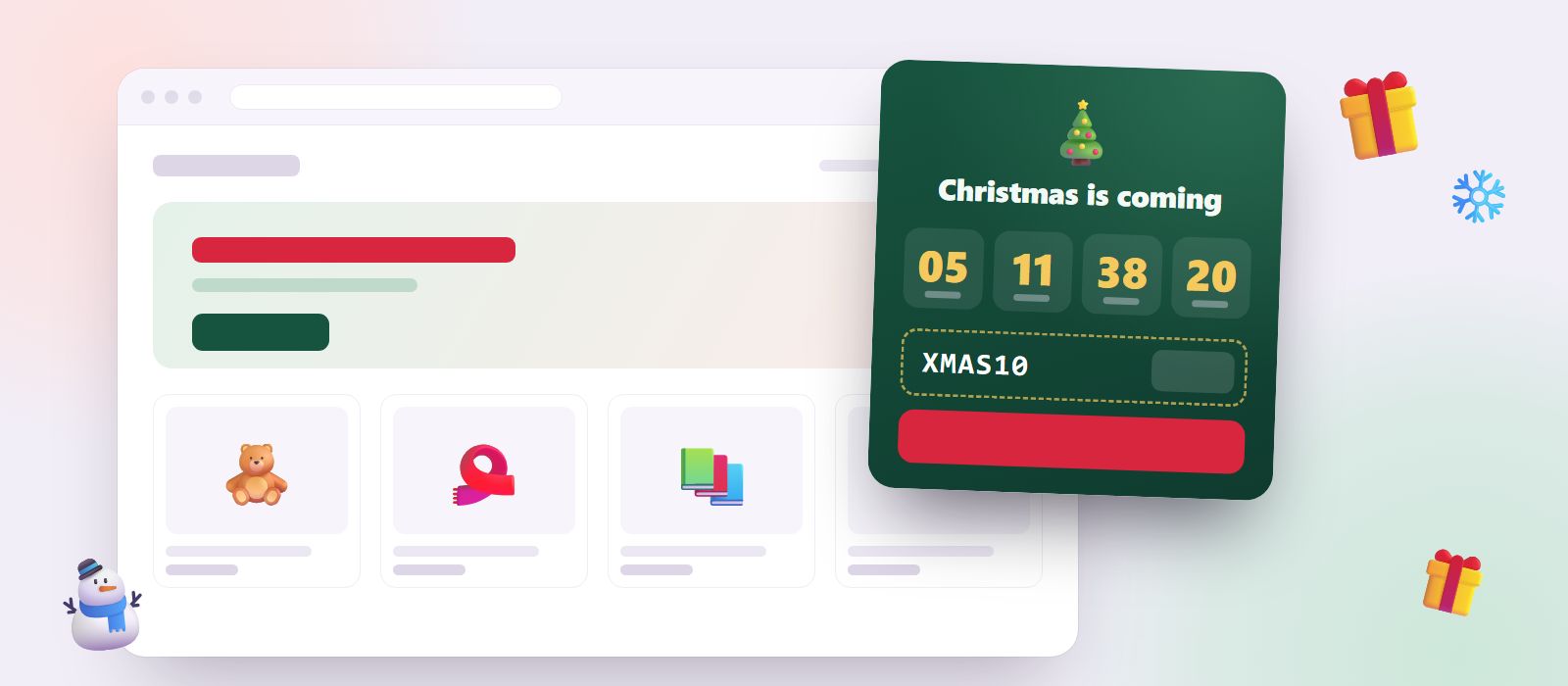
A Christmas countdown for your webshop that also counts down to your last order day, so customers order in time for Christmas.
One line of code. Works on any website, including Shopify, WooCommerce, Dandomain, Shoporama, Wix and more.
This is the real widget on a sample web page. Go ahead, try it.
A Christmas countdown that sells more gifts
In December, your customers have one question: "Will it arrive before Christmas?" Christmas Countdown answers it on every page of your shop. It counts down to your last order day for delivery before Christmas, so customers know exactly how long they have. When that day has passed, it switches to counting down to Christmas itself, and tells late shoppers about gift cards or click and collect instead.
You add it with one line of code, and it works on Shopify, WooCommerce, Dandomain, Shoporama, Wix, WordPress and any other website.
Three phases, all automatic
- Before your order deadline, it counts down to the end of your last order day: "Order in time for Christmas. Last day for delivery before Christmas is in 3 days, 6 hours."
- After the deadline, it counts down to Christmas and shows your message for late shoppers: "Too late for delivery? Our gift cards arrive instantly."
- On Christmas Eve (or Christmas Day, if you prefer), it wishes your customers a merry Christmas. The next day it hides itself, and next year it comes back on its own.
You choose your last order day, whether to count down to 24 or 25 December, and how many days before Christmas the timer should appear.
What your visitors see
- A live countdown in days, hours, minutes and seconds, in each visitor's own time zone.
- The date that matters, such as "Order by 19 December".
- Your discount code with a copy button, if you want to share one, such as XMAS10.
- A button to your gift guide or Christmas collection.
- A small Christmas tree button when the timer is minimised, with the days left. On phones it always starts as the button, so it never covers your shop.
- A light snowfall in the timer, which stays still for visitors who prefer less motion.
Why an order deadline countdown works
A countdown to Christmas is nice. A countdown to the last day customers can order is useful, and useful is what sells.
- It removes doubt. Customers who are unsure whether a gift will arrive in time often leave to buy it somewhere they are sure about. A clear deadline keeps them in your shop.
- It creates honest urgency. "2 days left to order for Christmas" is true, and it is the strongest reason to buy now that you have in December.
- It saves you support emails. "Will it arrive before Christmas?" is answered before anyone asks.
- It keeps selling after the deadline. Late shoppers are pointed to gift cards or click and collect instead of leaving.
How to add a Christmas countdown to your website
- Create a mojitiles account and choose Christmas Countdown.
- Set your last order day, write your messages, and add a discount code and a link to your gift guide.
- Copy the line of code and paste it into your website.
Running Black Friday first? The Black Friday Countdown hides itself after your sale, just as the Christmas season starts. Thinking about free shipping for Christmas? Find a free shipping limit that pays for itself with our free shipping calculator.
Planning your Christmas season? Read our guide Christmas shipping deadlines: how to tell customers when to order.
Questions and answers
What is a good last order day for Christmas delivery?
It depends on your carrier and where your customers are. For domestic parcels in Denmark and much of Europe, many shops use 19 to 21 December. Check your carrier's Christmas deadlines, and give yourself a day of margin for packing.
Can I count down to Christmas Day instead of Christmas Eve?
Yes. Choose 24 December (Christmas Eve, as in Denmark and much of Scandinavia and Central Europe) or 25 December (Christmas Day, as in the UK and the US).
Can I use it on Shopify?
Yes. Paste the line of code into your Shopify theme. It also works on WooCommerce, WordPress, Wix, Dandomain, Shoporama and any website where you can add a script.
Will it slow down my website?
No. It is a small script that loads after your page, and the timer runs in its own box without touching the rest of your website.
More widgets
See all-
MojiTiles
A colourful emoji tile puzzle that is quick to learn and hard to put down.
-
Black Friday Countdown
A Black Friday countdown timer for your webshop. Count down to your sale, then to the end of it, with your discount code and a button.
-
Code Breaker
Crack the code in as few tries as possible, and win a reward.